

Eye Care Resources
Computer Glasses in North York: Do You Need a Separate Work Prescription?
April 9, 2026
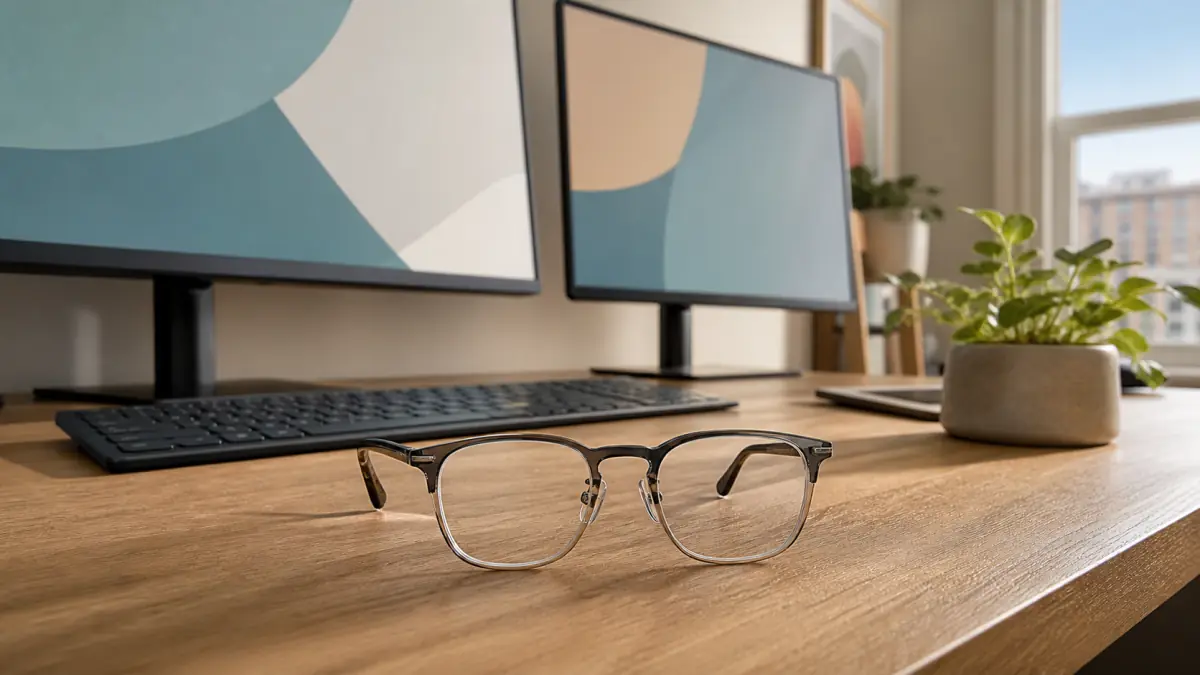
A distance prescription is designed to make faraway objects clear. Reading glasses are usually chosen for print held close to the body. A desktop monitor often sits somewhere between those two distances—and stays there for hours. That difference is the reason computer glasses can be genuinely useful rather than just another accessory.
Computer glasses are not one standard product, and they are not automatically blue-light glasses. They are prescription or task-specific lenses selected for the distances, screen layout, posture, and visual demands of a particular workstation. For one North York patient, that might mean a simple single-vision pair focused across a desk. For another, it could mean an occupational progressive that covers a monitor, documents, and nearby colleagues.
Not everyone needs a separate pair. Some people work comfortably in their everyday glasses once the prescription, dry eye, screen position, and lighting are addressed. The right answer depends on what you see, how you work, and what your current lenses ask your head and neck to do.
What are computer glasses?
Computer glasses are eyewear optimized for screen-related working distances. The prescription may reduce focusing demand, correct blur that becomes noticeable during sustained work, or place wider zones of useful vision where monitors and documents actually sit.
The term can describe several different lens designs:
- single-vision lenses focused at one computer distance;
- bifocal or trifocal arrangements customized for screen and near tasks;
- occupational progressive lenses with broad intermediate and near areas;
- a modified everyday prescription for a specific visual demand; or
- occasionally, a non-prescription lens chosen for glare or comfort after other causes have been assessed.
The important feature is task matching. A generic product labelled “computer glasses” may have no prescription, a fixed amount of focusing power, or only a coloured filter. It cannot account for astigmatism, different prescriptions between the eyes, eye alignment needs, screen distance, or the onset of presbyopia.
Why ordinary distance glasses may not be ideal
Distance glasses place the clearest focus far away. A younger person can usually use the eye’s natural focusing system, called accommodation, to bring a monitor into focus through those lenses. That effort may be comfortable, but it can become tiring during long uninterrupted work or if there is an uncorrected prescription or focusing issue.
As people move through their 40s and beyond, presbyopia gradually reduces near focusing ability. A distance prescription can remain excellent for driving while a monitor becomes difficult. The worker may lean closer, enlarge text, squint, or remove the glasses to compensate.
This does not always mean the distance prescription is wrong. It may be doing exactly what it was designed to do. The question is whether the same pair can also support eight hours of work at an intermediate distance without forcing strain or awkward posture.
Why ordinary reading glasses can also miss the target
Reading glasses are commonly optimized for a book or phone held closer than a desktop screen. If their focal distance is too short, the user may need to pull the monitor closer or lean forward to make it clear. A stronger over-the-counter reader can make this mismatch more noticeable.
Some people discover that a weaker reading power works at the computer, but selecting a power by trial and error does not assess the health of the eyes or account for differences between them. It can also create a pair that works at one laptop distance but not at a deeper desk.
If you can see the monitor only by sitting unusually close, the setup is not necessarily solved. Posture, font size, monitor location, and prescription should be considered together.
Who is most likely to benefit from a separate work pair?
A computer-specific prescription may be worth discussing if you:
- spend several hours a day at one or more screens;
- see the monitor clearly but develop headaches or eye fatigue;
- lift your chin to find the intermediate zone in everyday progressives;
- lean toward the screen even when text is reasonably sized;
- remove your glasses or switch pairs repeatedly during work;
- need to alternate between a monitor and close documents;
- use dual or ultrawide monitors that exceed the clear corridor of general progressives;
- have presbyopia and find neither distance nor reading glasses comfortable at the desk;
- experience task-specific blur that improves away from work; or
- have a visually exacting role in design, accounting, coding, health care, music, or technical work.
Symptoms alone do not prove that computer glasses are the solution. Dry eye, glare, reduced blinking, poorly positioned screens, eye teaming problems, migraine, and an outdated general prescription can create similar discomfort. A work pair should solve an identified visual problem, not stand in for an examination.
Single-vision computer glasses
Single-vision computer lenses provide one broad area of focus at a selected working distance. They can be an excellent choice when most of the day is spent at one stable monitor setup.
Because the whole lens is dedicated to that distance, the wearer can look across a large monitor or two adjacent screens without searching through a narrow progressive corridor. The head can remain in a more neutral position, which may help when ordinary progressives cause chin lifting or neck strain.
The tradeoff is limited range. A pair focused at 65 centimetres may not make a phone at 35 centimetres or a presentation across the room clear. It may be intentionally unsuitable for walking around, driving, or seeing distant signs. Patients need to understand where the pair works and where it does not.
Single-vision computer glasses are often easiest for a consistent workstation. They may be less convenient for someone who constantly alternates between a close tablet, multiple room distances, and meetings across a large space.
Occupational progressive lenses
Occupational progressives, sometimes called office or workspace lenses, prioritize intermediate and near vision. Instead of reserving much of the lens for driving distance, they can provide wider zones for monitors, documents, phones, and nearby conversation.
Different designs offer different ranges. One may emphasize a desktop and reading material, while another extends clarity several metres into an office. Choosing among them requires an honest description of the workday. “I use a computer” is less useful than “my main screen is 70 centimetres away, my laptop sits at 50 centimetres, and I need to recognize people three metres from my desk.”
These lenses can support more distances than a single-vision computer pair, but they still have limits. They are generally not a replacement for appropriate distance glasses when driving. Like other progressives, they require accurate measurements and some learning about where to look through the lens.
Can everyday progressive lenses be enough?
Yes. A well-fitted general progressive can work comfortably for many screen users, especially when the screen sits within the intermediate zone and the user does not spend the entire day at a wide display.
Problems arise when the usable intermediate area is too narrow for the task or is positioned in a way that forces posture compensation. If you must raise your chin, tip your head, or move your whole upper body to scan a screen, the lens and workstation are not working as a system.
Sometimes changing monitor height or distance solves the issue. Sometimes the frame needs adjustment so the corridor sits correctly. In other cases, a wider occupational design provides a better tool for the hours spent at the desk while the everyday progressives remain the better all-purpose pair.
Measure your workstation before the eye exam
Computer prescriptions are most useful when based on real distances rather than assumptions. Before your appointment, measure from your usual eye position to:
- the centre of the primary monitor;
- a secondary monitor, if it is closer or farther away;
- the laptop screen;
- the documents, tablet, or phone used frequently; and
- any farther target that must remain clear while seated.
Note the screen size and whether it is directly ahead or off to one side. Take a photo of the setup from your normal seated position if privacy and workplace rules allow. Record how much of the day is spent at each task.
Do not move everything into an artificial “ideal” arrangement just before measuring. The goal is to understand the actual environment, including constraints such as a shallow desk, sit-stand station, large monitor, or shared workspace.
Monitor position changes how lenses perform
The Canadian Centre for Occupational Health and Safety notes that viewing angle and distance affect both eye and postural comfort. An arm’s-length distance is a useful starting point for many monitors, but the correct position depends on screen size, text size, vision, and the task.
The primary monitor is often most comfortable directly ahead with the centre below the horizontal line of sight. A screen that is too high can be especially troublesome through progressives because the wearer may tilt the head back to reach the appropriate lens zone. A screen that is too low can encourage neck flexion.
For two monitors used equally, placing them together in a shallow arc can reduce twisting. If one is primary, keep it centred and place the other adjacent at an angle. The lens design should allow the wearer to reach the important parts of the screens with reasonable eye and head movement.
If the screen is clear only when you lean forward, do not immediately order stronger glasses. Increasing text size, correcting screen distance, and checking the prescription may produce a better and more flexible setup.
Laptop work creates a special compromise
A laptop joins the screen and keyboard, so placing one component correctly often displaces the other. Raising the laptop improves screen height but makes the keyboard too high. Keeping it low for typing can draw the head and eyes downward.
For sustained work, a stand with an external keyboard and mouse can separate those decisions. The monitor can sit at a suitable distance and height while the hands remain in a comfortable position.
Hybrid workers should consider whether one pair can serve every location. A deep office desk, compact home desk, kitchen table, and commuter laptop may all create different working distances. A design chosen for one station can still work elsewhere, but measuring the most important setups prevents surprises.
Computer glasses are not the same as blue-light glasses
Blue-light marketing has blurred two different ideas. A computer prescription changes optical focus for a working distance. A blue-light filter alters part of the light spectrum passing through a lens. A pair can have one feature, both, or neither.
Current evidence does not support treating blue-light filtering as a universal cure for digital eye strain. Screen discomfort commonly involves focusing demand, uncorrected prescription, reduced blinking, dry eye, glare, contrast, and posture. A filter cannot correct astigmatism or move a focal point from reading distance to monitor distance.
Some patients prefer a subtle tint or coating for comfort, and anti-reflective coatings can reduce distracting lens reflections. Those preferences can be discussed after the prescription and workstation needs are clear. Avoid paying for a label without knowing what optical problem the glasses are meant to solve.
Will computer glasses weaken your eyes?
Properly prescribed computer glasses do not make the eyes lazy or permanently dependent. They reduce or redistribute focusing demand for a task. Taking them off may make the monitor look blurry because the glasses were providing useful correction—not because they damaged the eyes.
Presbyopia naturally progresses with age, especially through the 40s and early 50s. Needing a different work prescription over time reflects changes in focusing ability and task demands, not a failure caused by wearing glasses.
Computer glasses should still be reviewed when vision or work changes. A pair created for an old monitor distance may not suit a new ultrawide display or a relocated workstation.
Contact lenses and computer prescriptions
Contact lens wearers can also have screen-specific needs. A person corrected for distance with contacts may use a low-power computer or reading pair over them. Multifocal or monovision contacts may work for some people, but their balance of distance, intermediate, and near vision is individual.
Screens can also intensify contact-lens dryness because concentrated work reduces blinking. If vision clears after a full blink and blurs again, the tear film may be contributing. Increasing lens power will not repair an unstable eye surface.
Bring contact lenses to the examination and explain whether symptoms occur only while wearing them. The answer may involve lens material, wearing time, dry-eye treatment, workstation changes, glasses over contacts, or a combination.
A work prescription cannot replace healthy screen habits
Even an excellent pair of computer glasses will not correct a vent blowing at the eyes, harsh reflections, tiny text, six hours without a break, or a monitor placed far to one side.
Build brief distance breaks into the day. The familiar 20-20-20 approach—about every 20 minutes, look roughly 20 feet away for 20 seconds—is a useful reminder rather than a rigid medical timer. Blink fully several times, relax the shoulders, and change position.
Match screen brightness to the room, reduce direct reflections, and use a task light for paper documents without shining it on the monitor. Increase text size instead of creeping closer. Keep frequently used screens where the body can face them comfortably.
If burning, watering, or fluctuating blur persists, ask about dry eye care. Tear-film problems can coexist with a prescription issue and may need separate treatment.
What happens during a computer-vision assessment?
The optometrist begins with a comprehensive eye and vision examination. Visual acuity and refraction help determine the distance prescription, while near focusing, eye coordination, and symptoms provide context for sustained work. The eye surface and internal eye health should also be assessed so that a task lens is not used to conceal another condition.
Your measurements and work description are then translated into lens options. The discussion may include:
- the primary and secondary working distances;
- single versus multiple monitors;
- screen size and text demands;
- time spent reading print or using a phone;
- whether farther office vision is needed;
- posture through current glasses;
- current progressive design and frame fit;
- contact lens use and dryness; and
- whether the glasses must serve only the desk or broader daily activities.
The best recommendation may be no new pair at all. An updated everyday prescription, frame adjustment, dry-eye plan, larger text, or monitor repositioning can sometimes solve the problem. A separate pair earns its place when it offers a meaningful improvement for a recurring task.
Adapting to computer glasses
At pickup, test the glasses at the distance they were designed for. If possible, use a device or target positioned to match the workstation. Confirm what should and should not be clear.
Single-vision computer lenses may feel straightforward, but the distance blur can surprise a first-time wearer. Put them on at the desk and remove or change glasses before walking through unfamiliar spaces if distance vision is not adequate.
Occupational progressives require learning the zones. Keep the frame properly adjusted, centre the main screen, and give the visual system consistent practice. If you must adopt an awkward posture, the screen remains blurred, or symptoms do not improve, return for a fitting and prescription check rather than endlessly adapting around a poor setup.
Never drive in a pair that does not provide appropriate and legally adequate distance vision. Task-specific glasses should be stored in a clearly recognizable case so they are not confused with an everyday pair.
Computer-glasses consultations in North York
A separate work prescription is most valuable when it is designed around real work. The monitor distances, number of screens, hours of use, documents, posture, and need to see beyond the desk all matter. A label on a generic pair cannot capture those details.
Optima Eye Care can evaluate prescription needs, focusing and eye coordination, dry eye, frame fit, and workstation demands for North York professionals, students, and hybrid workers. Bring your current glasses and real workstation measurements to make the conversation specific.
If your monitor is clear only when you lean, your neck hurts from looking through a narrow lens zone, or your usual reading and distance glasses both miss the screen, request an appointment. A computer pair is not mandatory for every screen user—but when the visual task is defined carefully, it can make the workday substantially more comfortable.